-
Instructions for use with a single device
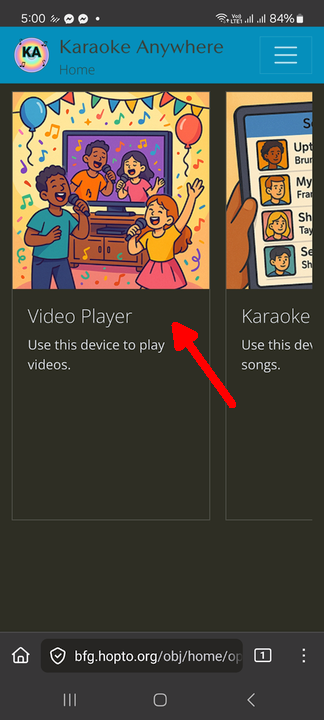
Login with your account to the player device. After logging in you will see the Home Page. Click on "Video Player".
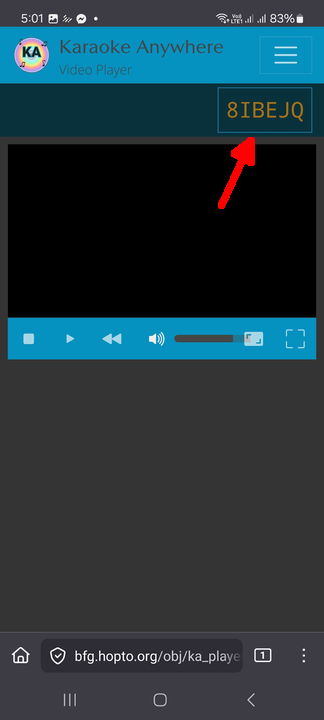
A device code will appear at the top right. Note down this code.
Press back to return to the Home Screen. Or you can click on the Karaoke Anywhere logo at the top left.
Click on "Karaoke Songbook".
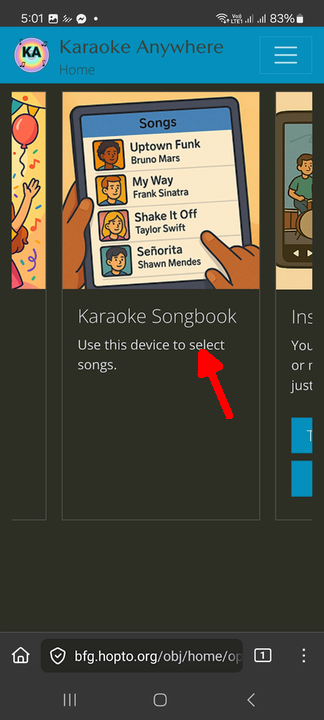
Note the device code on the top right. If it's the same as the player device code you noted earlier, you're good to go.
Otherwise, click on the code at the top right to open a form where you can input a new code. Input the code you noted earlier.
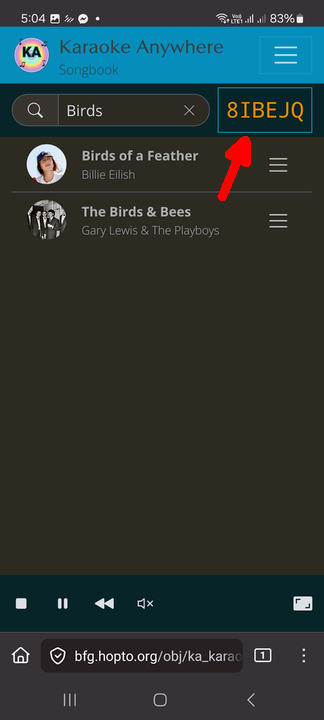
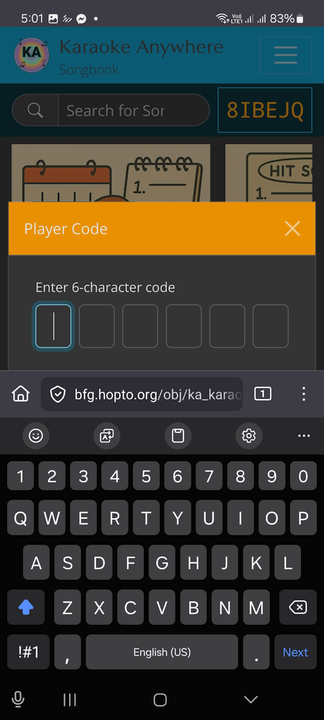
You may now search for songs by typing into the search box or clicking one of the categories beneath it.
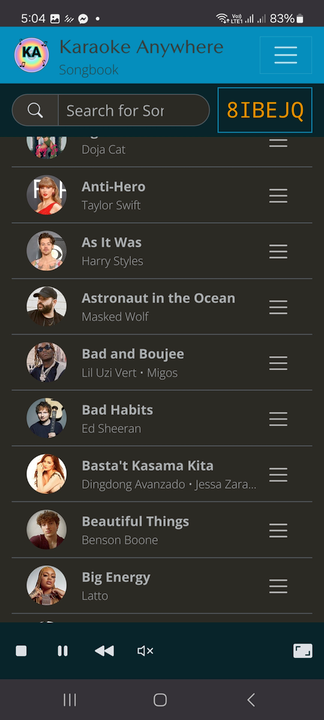
After you have selected the songs you want to sing, click back, or click on the Karaoke Anywhere logo to return to the home screen.
Then click on "Video Player". You can then click on the video to start playing the songs you requested.
Repeat steps 3 - 6 to select and play more songs.
Tap on the video to toggle fullscreen mode.